November 2, 2026
How to make a weird AI influencer in genvi
Design a weird AI influencer with one impossible material, a mundane place and a phone camera look. Save it, then make new scenes in genvi.
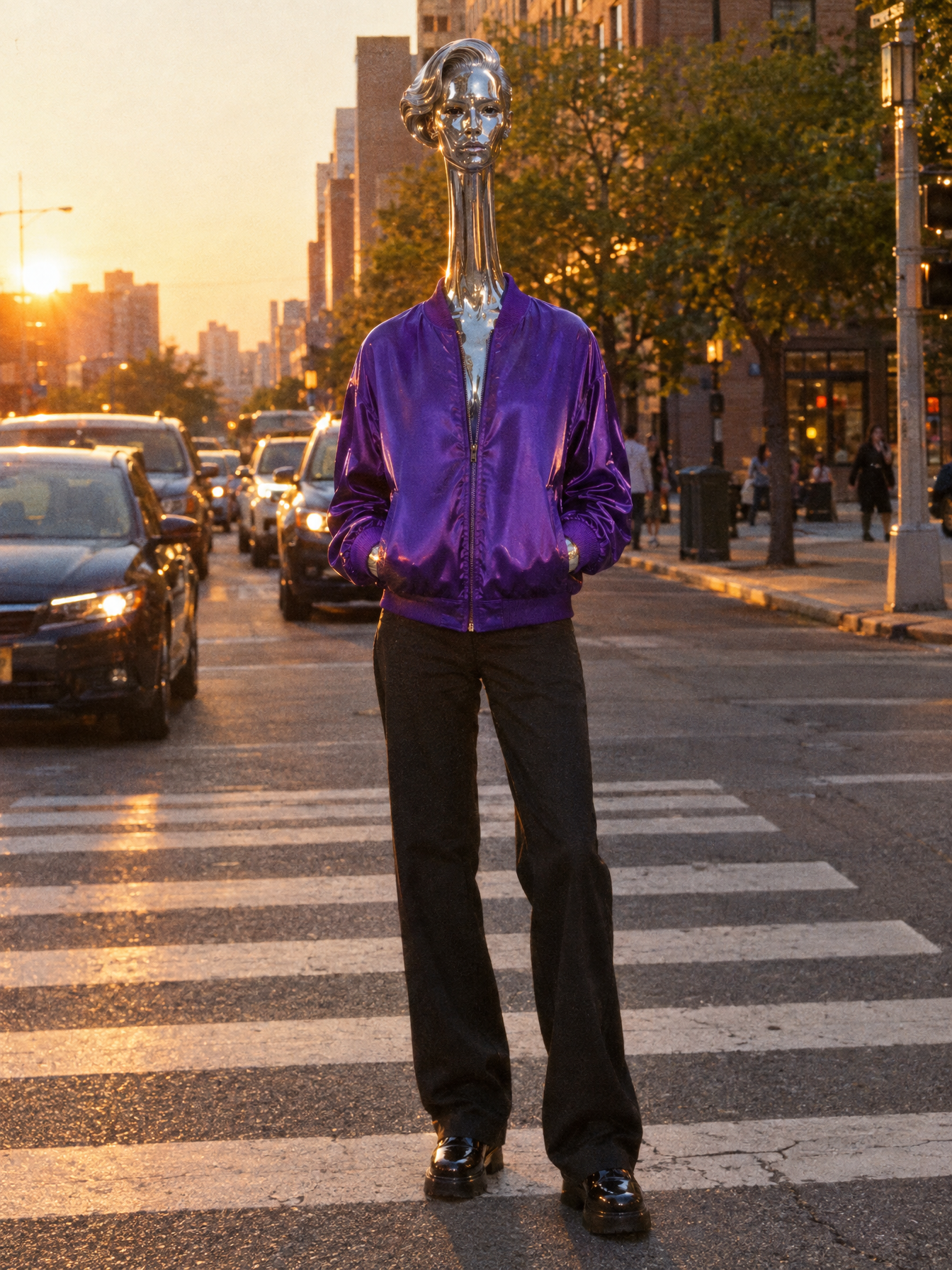
A weird AI influencer is an invented character with one impossible feature. For example, its skin might look like chrome, and it might wait at a bus stop. This guide shows how to make one in genvi, keep the same face in every picture, and put it in new scenes.
The look is simple: a calm face, a strange material and an ordinary place. The hard part is getting the same character again and again. We made four characters for this guide. Every picture below is real genvi work, and you can follow the same steps with your own idea. If you want the plain version first, read how to make an AI influencer with one consistent face.
What a weird AI influencer is
Accounts like this drew a lot of attention in October 2026. Semafor reported on 7 October that Higgsfield, an AI video company, launched a tool for building custom AI influencers. Semafor also said the characters look real but not quite of this world. You can read that report. Higgsfield is one of the tools behind the trend. If you are weighing the two tools, see genvi vs Higgsfield. You do not need either tool to understand the idea. You can make the same look in genvi.
Why does it work? We cover that in why weird AI influencers go viral. Here we just build one.
Make it original
Invent your character. Do not copy a real person, a celebrity or a character from a film or show. That is unfair to them, and it can get your posts taken down. Higgsfield's own creator guide warns that parodies of film characters can be taken down. Use only your own face, or the face of someone who agreed. genvi checks every request before it runs, and it can refuse a request aimed at a real person. Also read the rules on telling people your character is AI before you post.
Step 1. Design the look with three choices
Pick one answer for each of these. Keep them simple.
- One impossible material. Chrome, glass, porcelain, wool, jelly. Only one. If everything is strange, nothing is.
- One mundane place. A laundromat, a supermarket aisle, a crosswalk, a bus stop. The plainer the better, because the contrast is the joke.
- One phone camera style. A selfie, a vertical vlog frame, a flash photo at night. It should look like someone took it on a phone.
Add a calm, flat face and one loud piece of clothing. A prompt is the words you type to tell the AI what to draw. Our first character, Oriel Vance, was built from a prompt like this: "seamless mirror-chrome liquid-metal skin that reflects the room, a very long elongated neck, one sculpted swept-back wave of chrome hair, flat deadpan expression, loud violet satin bomber jacket."
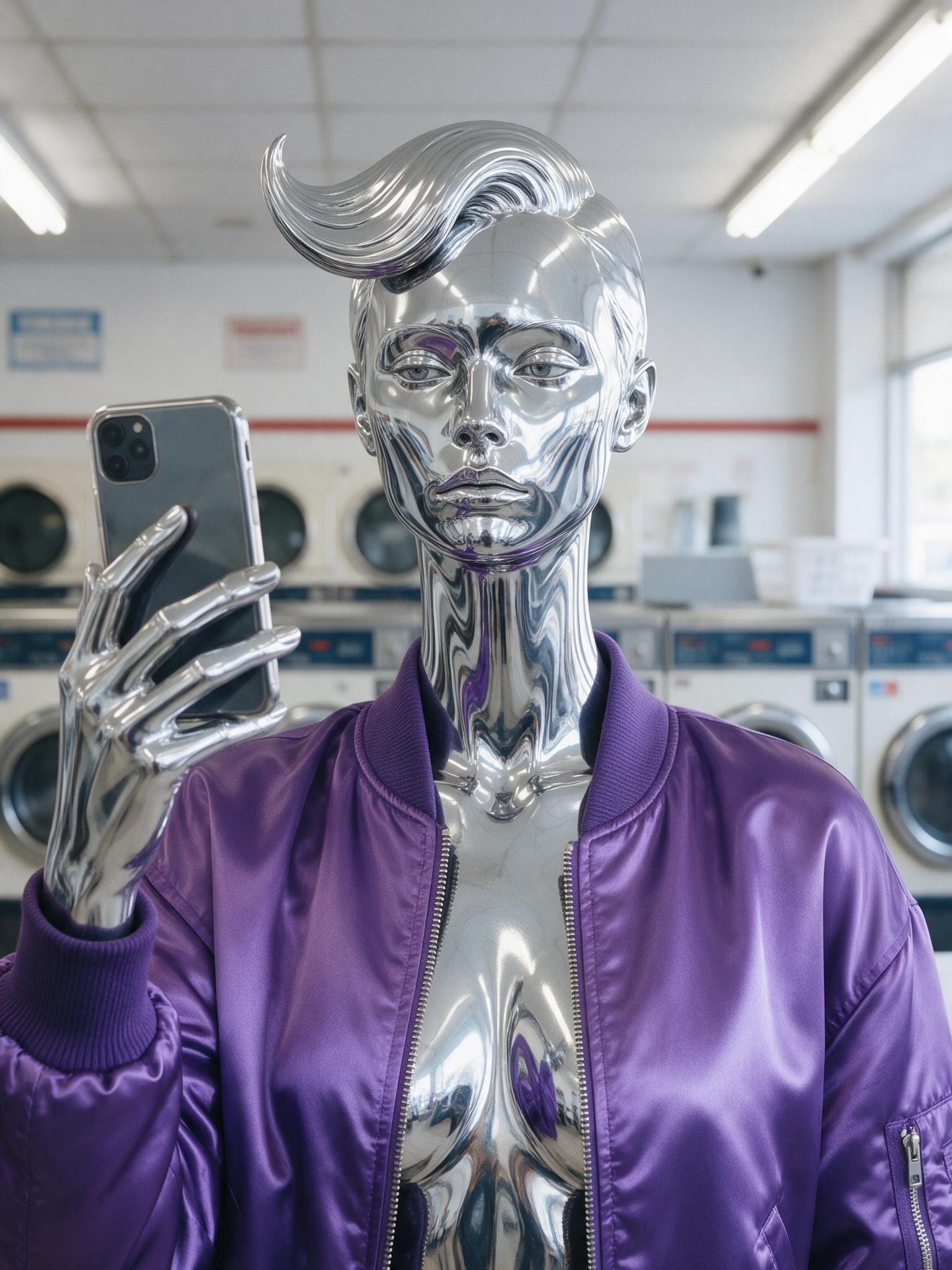
Oriel Vance taking a phone selfie in a laundromat. Made with Seedream v5 Pro.
The other three characters follow the same recipe. Mabel Quill has glazed porcelain skin with gold repair lines and a black bowl cut. Tobias Fenn is a playful felt puppet in a mustard blazer. Juno Prism has clear glass skin and a crystal bob. Each has one material, one signature haircut and one signature jacket or coat.
Step 2. Make the first picture
Open genvi and make an image project. Choose a model, which is the AI program that makes the picture. Then write your description in one sentence, and add the place and the camera style. For Oriel at a bus stop, we added "sitting alone on a bus stop bench at night with a paper cup." Make a few tries and keep the one where the face and the material look right. That picture is your starting point.
Tip: say the material twice, in different words. The model can soften a strange detail. Adding "skin clearly transparent" or "unmistakably glazed ceramic" stops it sliding back to a normal face.
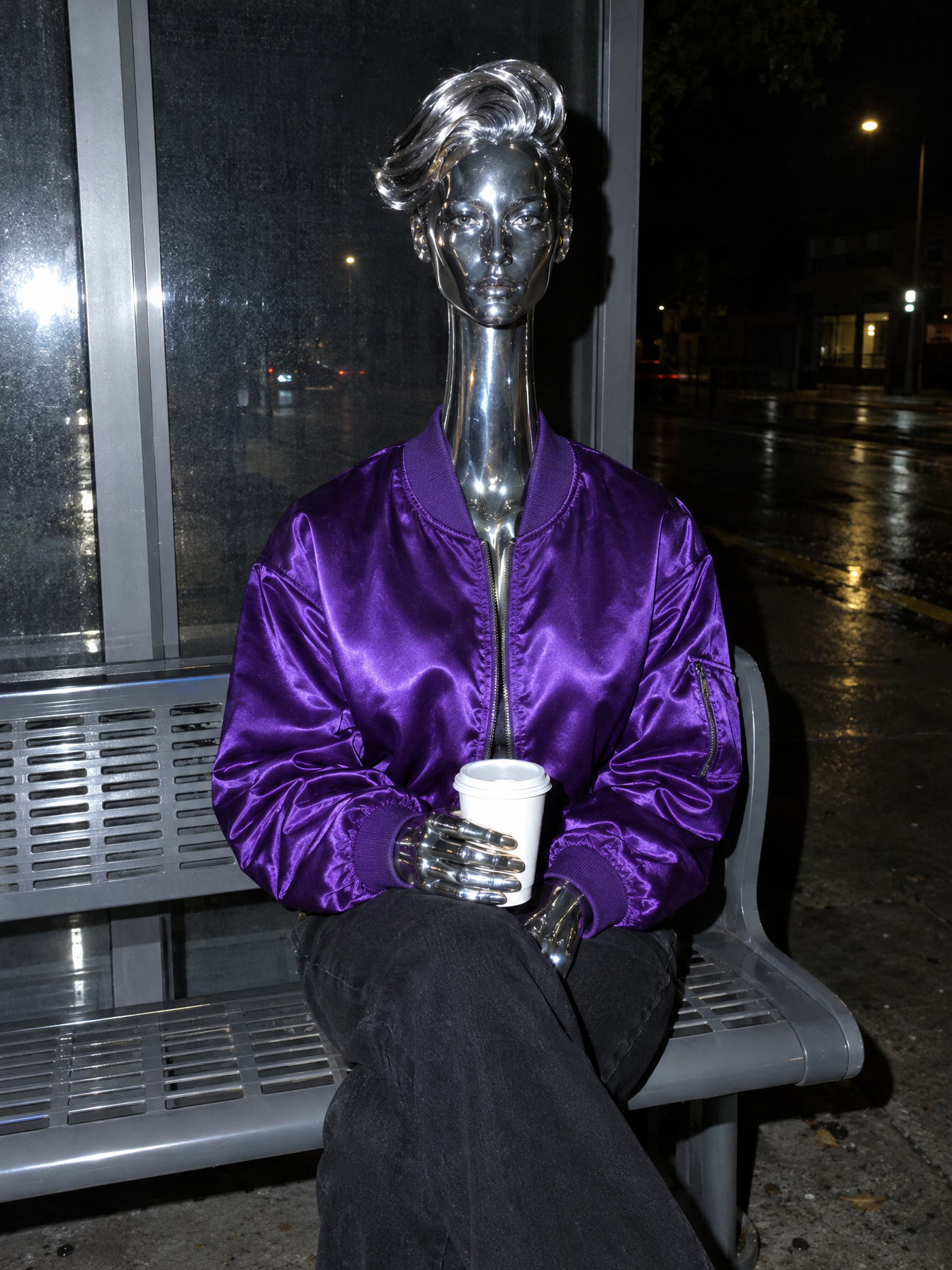
Oriel Vance on a bus stop bench at night. Made with GPT Image 2.5 Flare.
Step 3. Save the character in References
A reference is genvi's word for a saved character: a few pictures and a short description that genvi reuses. Do this once.
- On the Dashboard, open References and choose New reference.
- Set What is it to Character.
- Give it a Name and a short Handle, like
oriel. - Add your best pictures with Upload or Files. Put the clearest face first.
- In Description for the model, write what never changes: material, hair, neck, jacket. Leave out the place and the pose.
The description does most of the work. genvi sends it with your pictures every time you use the character.
Step 4. Put the character in new scenes
Now use Persona, inside the Formats tab on the Dashboard. Choose your character and write a scene, such as "standing in a supermarket cereal aisle, filming a vertical vlog." Pick a framing and generate. Change only the scene each time. Persona builds the full prompt for you. The steps are in our main AI influencer guide.
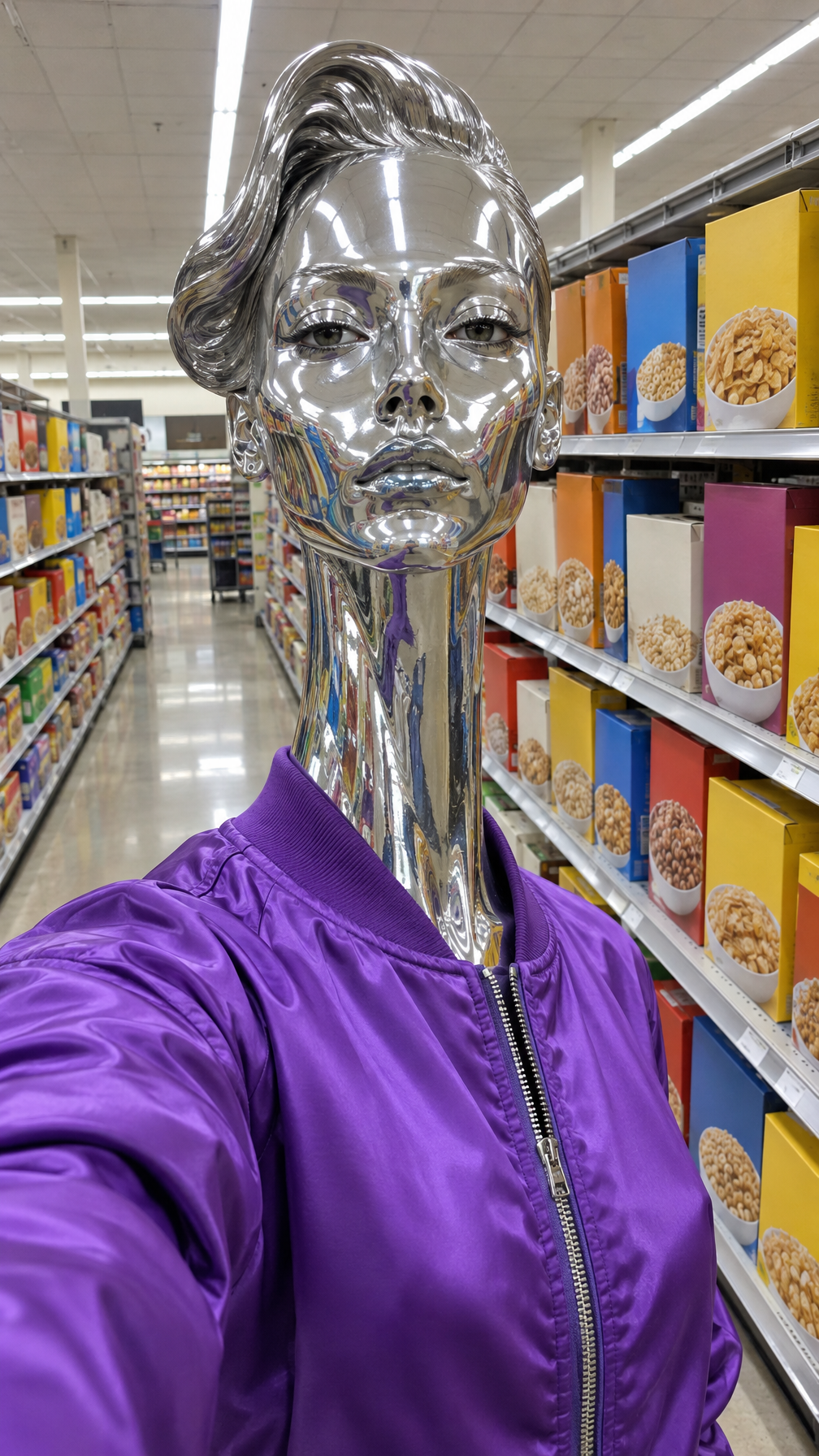
Oriel Vance in a supermarket cereal aisle. Made with GPT Image 2.5 Flare.
Look at the three Oriel pictures. The chrome skin, the long neck, the wave of hair and the violet jacket stay the same. They stay the same in a laundromat, at a bus stop and in a supermarket. That sameness makes a character easy to recognise.
Step 5. Keep it consistent
- Change one thing at a time. New place, same everything else.
- Keep the description exact. If the hair changes between pictures, write the hair into the saved character.
- Use the same camera style for a whole week, so the feed feels like one person's phone.
- Pick the best result. Make two to explore and four when you want to choose.
For more consistency, see how to keep a character consistent in AI video. To move your character, read how to turn an AI character into video. For wording ideas, use surreal AI fashion prompts.
What it costs
Each picture uses credits, which genvi uses to pay for each run. You see the price before you run. Four results cost more than one. Plans and credits are explained on the plans page.
FAQ
Can I copy a celebrity or a film character?
No. Invent your own. A copy can break the rules of the platform you post on and can cause legal trouble.
Do I have to say it is AI?
Yes, we recommend it every time. See the disclosure guide.
Does it stay the same in every picture?
Mostly. Strange details can soften or change between pictures. Keep your description exact, and pick the best result.
Can I post from genvi?
No. You download your pictures and post them yourself.